


Healthy Dinner : 500+ Recipes
4.726.00 Reviews
App Specs
- Version
- 6.6
- Updated On
- License
- Free
- Downloads
- 10,000+
- Developer
- kiran chavan
- Categories
- Food & Drink
- Platform
- Android
Screenshots
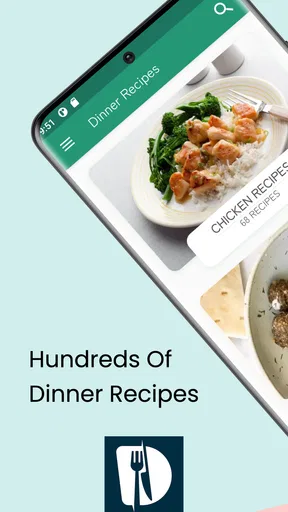
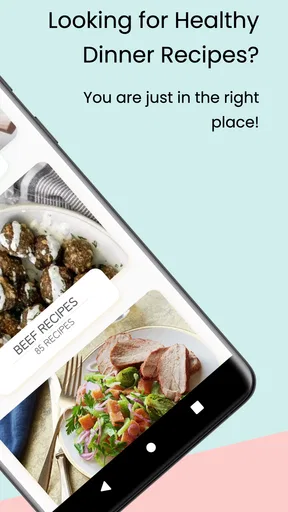
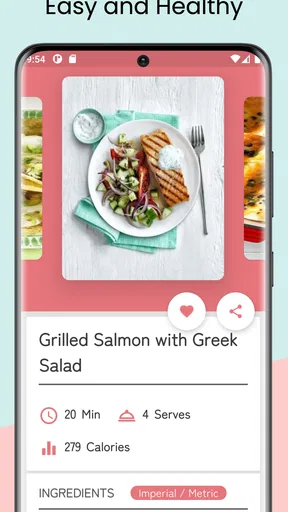
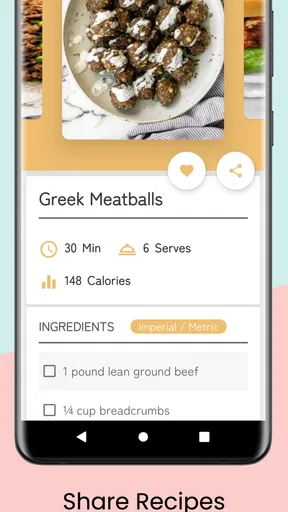
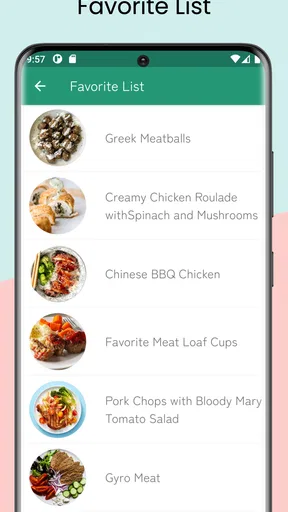
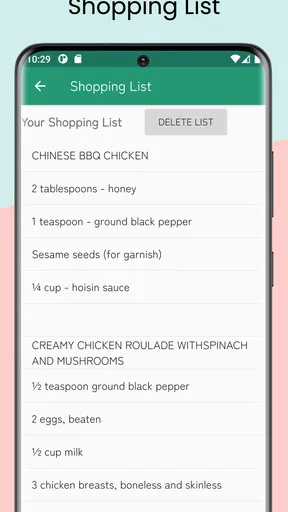
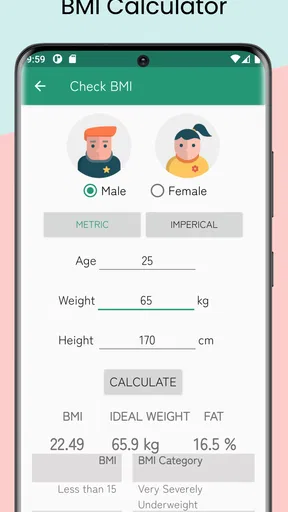
 Analysis by AppCompare
Choosing a dinner recipe app sounds simple until you are standing in the kitchen with limited time, a half-used bag of vegetables, and no interest in scrolling through endless food videos. I tested Healthy Dinner: 500+ Recipes with that everyday problem in mind. It is a free Food & Drink app from kiran chavan, aimed at people who want practical ideas for healthier evening meals without turning dinner planning into a project.
My overall impression is positive, but it depends on what you expect from a recipe tool. This is not the kind of app I would choose for restaurant-style cooking lessons, detailed culinary technique, or a highly personalized meal-planning system. I see it instead as a straightforward source of inspiration: open it when you need a dinner direction, browse until something feels manageable, and use the recipe as a starting point for cooking.
How I judged the app for real dinner decisions
I looked at it through the questions I would ask before recommending it to a friend. Can I find an idea quickly? Does the focus on healthy dinners make the selection more useful than a general recipe search? Is it approachable for an ordinary home cook? Can it help when I have dietary preferences, a busy schedule, or ingredients that need using? And does the free entry point make it worthwhile even with optional purchases?
The app has a 4.7 average from over two hundred ratings and has passed ten thousand installs, which suggests that its simple approach has found an audience. I would not treat those figures as a guarantee that every recipe will suit every household, but they do make the app feel more established than an entirely unknown download.
Its basic purpose is easy to understand: provide a large collection of dinner ideas in one place. The store summary emphasizes delicious, easy, and healthy meals, while the short description reduces that promise to “Healthy Dinner.” In use, that positioning matters. I approached the app expecting quick browsing rather than a nutrition clinic, and that expectation made the experience much more satisfying.
The best test is a tired weekday evening
Imagine getting home late with chicken, spinach, rice, and a few vegetables already in the kitchen. You do not necessarily need a precise weekly plan; you need a reasonable idea that will stop you from ordering food. This is where the app makes the most sense. I can browse for a dinner concept, check whether it resembles what I already have, and adapt the result instead of beginning with a blank page.
That last point is important. Recipe apps often create a false choice between following every instruction exactly and abandoning the recipe entirely. For weekday cooking, I find it more useful to treat a recipe as a route. If I lack one herb or prefer another vegetable, the app can still give me a structure for the meal. The value is not only in discovering a finished dish; it is in reducing the mental effort involved in deciding what to cook.
Worth Reading Before You Choose

EA SPORTS FC Mobile 26 Is a Bigger Football Game, but It Takes Time

Flipboard Shows What News Apps Must Do Beyond the Feed

Switching to Android Auto Means Rethinking Your Driving Routine

Google Calendar Makes a Crowded Week Easier to Manage

Ludo King Makes the Most of the Minutes Between Plans

Baby Panda World Brings Quick Play to Modern Phones, but Its Game Library Feels Busy
I also think the app is useful for someone trying to break a repetitive dinner routine. When I cook from memory, I tend to rotate the same few meals because they are familiar. A broad collection gives me a reason to try a different combination without spending time searching across websites, social networks, and video platforms. That makes the app particularly suitable for beginners and busy households.
Why the large collection helps, and when it can slow me down
A collection described as more than five hundred recipes offers plenty of room for variety, but volume alone is not the same as good organization. A large library can be helpful when I want inspiration, yet it can also make browsing feel like work if I have no clear starting point. My practical advice is to open the app with a decision already in mind: a main ingredient, a cooking mood, or the amount of time you want to spend.
For example, I might decide that tonight needs to be a vegetable-centered meal, a lighter dinner, or something suitable for using leftovers. That small constraint makes a broad recipe library feel more manageable. Without one, I can easily move from one appealing image or title to another without actually choosing anything.
This is one of the less obvious ways to get more from the app: use it as a decision filter rather than as entertainment. I would browse for a short period, save the first few plausible ideas mentally, and then choose the recipe with the closest ingredient match. That workflow is faster than judging every option by appearance.
Where this recipe app wins over familiar alternatives
Compared with general web searches, the strongest advantage is focus. Search engines return everything from professional food sites to personal blogs, advertisements, videos, and unrelated pages. That can be useful when I need a very specific technique, but it is inefficient when I simply want a healthier dinner idea. This app keeps the purpose narrower, so I spend less time separating dinner suggestions from the rest of the internet.
It also has an advantage over social media recipe browsing. Short videos are excellent at creating appetite, but they are not always designed for calm, repeatable cooking. A video may move quickly, hide quantities in a caption, or make a recipe look easier than it is. A dedicated recipe collection feels more practical when I am already holding a knife or trying to coordinate several ingredients.
Another strength is its low commitment. The app is free to download, so I can try the basic experience without deciding immediately whether it deserves a place in my routine. That matters for recipe apps because usefulness is personal. One person may love browsing dinner ideas, while another may prefer a handwritten rotation or a familiar website.
The app is also a sensible fit for people who want a gentle push toward healthier home cooking without needing a strict program. I would recommend it to a student learning to cook, a parent who needs fresh weeknight ideas, or anyone who wants to replace takeout with more home-prepared meals. It does not need to become the center of your food life to be useful; even occasional inspiration can justify keeping it installed.
Small workflows that make it more useful
My first practical workflow is a “three-ingredient check.” Before choosing a recipe, I look for an option that already matches at least three things in my kitchen. This reduces extra shopping and makes the app more relevant to real life. I then treat missing minor ingredients as substitutions rather than reasons to reject the meal.
The second is to browse before hunger takes over. Looking through recipes while calm lets me choose based on ingredients and effort. Waiting until I am already hungry encourages the fastest possible choice, which often means abandoning the app. A few minutes of browsing earlier in the day can turn the collection into a planning aid rather than a last-minute rescue.
The third is to use the app for variety, not strict authority. If a recipe suggests a combination I like, I can repeat the underlying idea with different vegetables, grains, or proteins. This is especially helpful when shopping seasonally. I may not cook the exact same dish twice, but I can use the app to build a flexible pattern of dinners.
These workflows also reveal an important trade-off. The app can reduce decision fatigue, but it cannot remove the need for judgment. I still need to check what I have, consider allergies, adjust portions, and decide whether the preparation suits my evening. No recipe collection can make those choices for me reliably.
What the healthy focus does and does not mean
I appreciate the healthier direction, but I would not confuse it with a personalized medical or dietary service. “Healthy” can mean different things to different people. One household may prioritize vegetables, another may be watching sodium, and someone else may need meals that fit a specific allergy or nutritional plan. The app’s general focus is useful for inspiration, but I would still read each recipe carefully and adapt it to my needs.
This is also where a specialist alternative may be better. If you need calculated nutrition, medically guided meal planning, or filtering built around a strict condition, look for a service designed specifically for that purpose. I would not use this app as a substitute for advice from a qualified professional. Its strength is practical dinner discovery, not individualized health management.
Where another type of app may fit better
Someone who cooks mainly by watching demonstrations may prefer a video-first platform. Visual learners can benefit from seeing how a sauce should look or how vegetables should be cut. A recipe collection is less helpful when the main obstacle is technique rather than deciding what to eat.
People who plan an entire week at once may also prefer a meal-planning service with calendars, coordinated shopping lists, and household organization. The app works better for choosing individual dinners than for managing every meal from Monday to Sunday. I would choose another category if I needed automatic planning across several people with different preferences.
Likewise, users with a very specific diet should compare the app with a specialist database before relying on it. A general healthy-dinner collection may offer suitable ideas, but suitability is not the same as systematic filtering. If avoiding an ingredient is essential, I would verify every recipe and every substitution myself instead of assuming that the broad theme covers my requirement.
There is also a case for not using an app at all. If you already have a trusted cookbook, a family recipe folder, or a small list of meals that works perfectly, adding another source may create more choices rather than more convenience. I would skip this download if I dislike browsing or if I want exact, tested instructions from a single culinary author.
Limitations I noticed before making a recommendation
The main limitation is that a broad recipe library does not automatically solve organization. When I want one very particular dinner, I prefer a clearly defined search or filtering experience. If browsing is the main route to discovery, the app may feel less efficient for users who already know exactly what they want.
I also think expectations around recipe detail should be realistic. A compact mobile recipe app can be excellent for ideas, but it may not replace a full cooking reference with extensive technique notes, substitutions, preparation photographs, and background explanations. Experienced cooks may find that acceptable, while beginners who need close guidance may want a second source open in the kitchen.
The free model is appealing, although optional in-app purchases range from $1.99 to $11.99 per item. I would decide based on how often the app becomes part of my routine rather than paying simply because the collection is large. The free starting point lowers the risk, but users should still pay attention to purchase prompts and decide whether any extra access genuinely improves their cooking process.
For compatibility, the app requires Android 9 or later. That is worth checking before planning around it, especially if you use an older phone. On supported devices, the current version is 6.6, and the app is rated for Everyone, making it broadly approachable for households that share devices or want a simple, family-friendly recipe source.
What switching to it actually costs
Moving from web searches or a cookbook to an app is not only about money. The real cost is changing how you decide what to cook. If you already have a reliable routine, you may spend more time browsing before you learn how to narrow the choices. I would keep the transition small: use it for one dinner a week, preferably on a night when you want variety but do not need a complicated experiment.
There is almost no financial barrier to trying it because the app is free, but the optional purchases mean I would not assume every part of the experience is included without checking the screen carefully. The more important question is whether the app saves enough planning energy to earn a regular place on your phone. If it helps you avoid one frustrating dinner decision each week, that may be enough.
A useful switching strategy is to compare outcomes rather than features. For two weeks, I would note whether the app helped me cook from ingredients I already owned, try a meal outside my normal rotation, or avoid ordering food. Those are better tests than simply counting how many recipes I opened. The app succeeds when it changes dinner behavior in a helpful way.
I would also avoid deleting your existing resources immediately. Keep your favorite cookbook or trusted recipe site available while you learn the app. That gives you a backup for detailed techniques or special dietary needs and lets this collection do what it does best: provide quick, health-oriented inspiration.
My recommendation for different kinds of cooks
I recommend Healthy Dinner: 500+ Recipes to anyone who wants a simple source of healthier evening ideas and does not need a full meal-management system. It is especially appealing if you cook at home regularly but keep repeating the same meals. The free entry point, broad collection, Everyone rating, and clear dinner focus make it easy to test without committing your entire cooking routine.
I would recommend it most strongly to beginners, busy professionals, students, and households that need inspiration more than instruction. Use it with a short ingredient check, choose recipes that fit what is already in the kitchen, and adapt the result sensibly. That approach turns the app from a passive catalogue into a practical decision tool.
I would be more cautious for people who need exact nutritional tracking, extensive cooking demonstrations, strict allergy filtering, or automated weekly planning. In those cases, a specialized alternative may save more time and reduce uncertainty. The app can still provide ideas, but it should not be your only source of guidance.
After weighing those differences, my final view is that this is a worthwhile download for everyday dinner inspiration rather than a complete culinary platform. Its strongest quality is focus: it helps me move from “What should I cook?” to a realistic healthy-dinner possibility without opening a dozen unrelated pages. Its weaknesses are the natural limits of a broad, general collection and the need for users to apply their own dietary and practical judgment.
If that matches your needs, I think you will find the app easy to try and potentially useful to keep. If you want a structured planner, professional instruction, or medically precise nutrition support, choose a more specialized tool instead. For the ordinary problem of finding a better dinner idea when my imagination has run out, this app earns a place on my shortlist.
Pros
- Over 500 dinner ideas provide plenty of variety for weekly meal planning.
- Recipes are suitable for users seeking lighter
- more balanced evening meals.
- Clear ingredient lists make it easier to organize grocery shopping.
- Useful for discovering new dishes without needing advanced cooking skills.
- Works well as a quick source of inspiration when you lack dinner ideas.
Cons
- Some recipes may require ingredients that are difficult to find locally.
- Nutritional information may not be available for every recipe.
- Cooking times and serving sizes can vary in accuracy between dishes.
- The large recipe collection may feel overwhelming without strong filtering tools.
- Users with allergies may need to check and adapt ingredients themselves.
FAQs for Healthy Dinner : 500+ Recipes
What is Healthy Dinner: 500+ Recipes?
Healthy Dinner: 500+ Recipes is a recipe-focused app designed to help users plan and prepare nutritious evening meals. Its collection includes a wide range of dinner ideas, generally organized around practical ingredients, cooking methods, and dietary preferences. Whether you want lighter meals, family-friendly dishes, vegetarian options, or simple recipes for busy weekdays, the app aims to make healthy cooking easier and more varied.
Does Healthy Dinner: 500+ Recipes work offline?
Offline availability may depend on how the app stores its recipe content and on the version installed from the Android or iOS store. After opening recipes while connected to the internet, some content may remain accessible without a connection, but users should not assume that every feature works offline. It is best to check the app description and test saved recipes before relying on it while traveling or cooking without Wi-Fi.
Are the recipes suitable for specific diets or allergies?
The app may include recipes suitable for common preferences such as vegetarian, low-calorie, high-protein, or reduced-carbohydrate eating, but the exact selection and filtering tools can vary. Users with allergies or medical dietary requirements should read every ingredient and preparation note carefully rather than relying only on recipe categories. Ingredient substitutions may also change nutritional values, so professional advice is recommended for strict diets.
Can I save recipes and create a personal dinner plan?
Healthy Dinner: 500+ Recipes is most useful when you can quickly return to meals that match your routine. Depending on the current app version, it may offer favorites, bookmarks, search tools, or other ways to organize recipes. These features can help you build a personal list of dinners and reduce meal-planning time, although users should verify which organization options are included before downloading.
Is Healthy Dinner: 500+ Recipes free to download and use?
The app may be available as a free download, but availability of all recipes and features can depend on advertising, in-app purchases, subscriptions, or premium sections. Store listings normally provide the most accurate information about current pricing and supported devices. Before installing, review the purchase details and privacy permissions, especially if you prefer a completely free cooking app without recurring charges.


